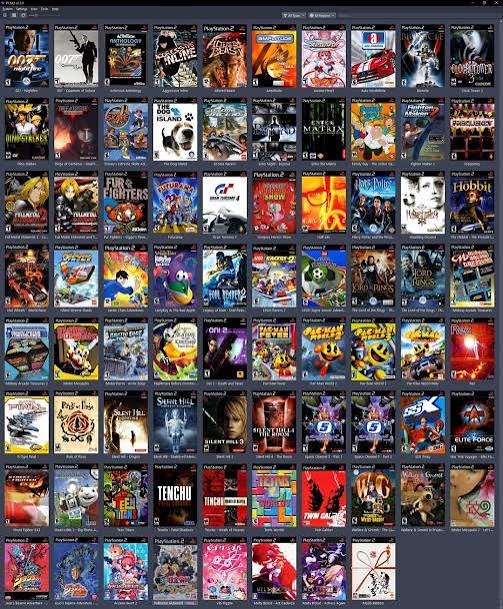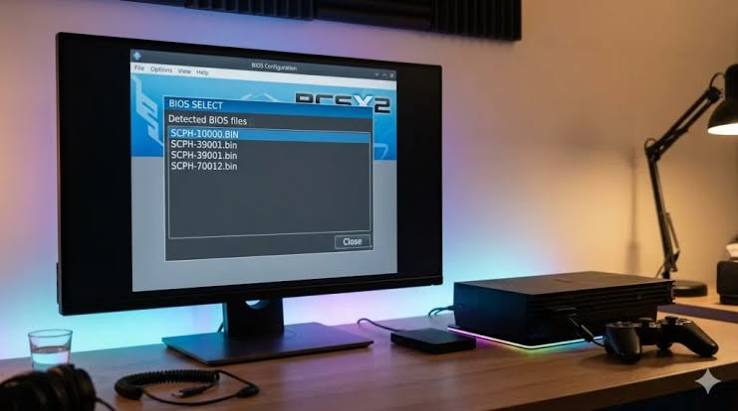
The PlayStation 2 remains one of the most popular gaming consoles ever released, with a huge library of games spanning action, racing, role-playing, sports and adventure genres. Even years after the console’s original release, many players continue to enjoy PS2 games through emulation. One of the most important components required by a PS2 emulator is the PS2 BIOS.
If you have searched for “download BIOS PS2”, you may have encountered many websites offering BIOS files. However, downloading a BIOS from an unofficial source can raise copyright and security concerns. A BIOS is proprietary firmware associated with the PlayStation 2, so the safest approach is to create a BIOS dump from a PS2 console that you own rather than downloading a copied file from an unknown website.nybusines.com
What Is a PS2 BIOS?
BIOS stands for Basic Input/Output System. On the PlayStation 2, the BIOS is firmware stored on the console that helps initialise the hardware and provides the basic environment required for games and system functions to operate.
A PS2 emulator uses a BIOS image to reproduce some of the console’s original behaviour. Without an appropriate BIOS, many PlayStation 2 emulators cannot boot games correctly.
The BIOS is therefore different from a PS2 game ISO. An ISO is essentially a digital copy of a game disc, while the BIOS represents firmware from the console itself.nybusines.com
Why Do PS2 Emulators Need a BIOS?
Modern emulators attempt to reproduce the behaviour of original gaming hardware using software. For a PlayStation 2 emulator, this involves recreating many complicated components, including the processor, graphics system, memory and other hardware.
The BIOS provides another important part of that environment. Depending on the emulator, it can handle functions associated with system startup, hardware initialisation and compatibility.
This is why simply installing an emulator does not always mean that you can immediately start a PS2 game. You may need to configure a BIOS file and other settings before the emulator can successfully launch your games.
Should You Download a PS2 BIOS?
This is where users searching for “download BIOS PS2” should be particularly careful.
A PS2 BIOS is copyrighted firmware. Websites that distribute BIOS files without permission may not have the legal right to provide them. In addition, unofficial download sites can expose visitors to misleading advertisements, unwanted software or malicious files.
For these reasons, downloading a BIOS from a random file-sharing website is not recommended.
A better approach is to use an appropriate BIOS-dumping method to obtain the firmware from your own PlayStation 2 console. This gives you a BIOS image originating from hardware that you own and avoids relying on an unknown third-party download.nybusines.com
Choosing the Right BIOS Region
PlayStation 2 consoles were released in different regions, including North America, Europe and Japan. BIOS versions can therefore differ according to the region and model of the console.
This can matter when configuring an emulator. Some games may behave differently depending on the BIOS and emulator configuration being used.
If you are creating your own BIOS dump, keeping information about the original console is useful. It can help you understand which BIOS version you have and make troubleshooting easier later.
You should also avoid assuming that the newest-looking BIOS file found online is automatically the best option. Compatibility depends on the particular emulator, game and configuration.
nybusines.com
One of the best-known PlayStation 2 emulators is PCSX2. It allows users to play compatible PS2 games on computers while providing numerous configuration options.
PCSX2 does not simply provide copyrighted PS2 BIOS files for users to download. Instead, users are expected to provide a BIOS obtained from their own console.
After obtaining a legitimate BIOS dump, it can be configured within the emulator’s BIOS settings. The exact process can vary between PCSX2 versions, so users should consult the emulator’s current documentation rather than relying on outdated tutorials.
How BIOS Affects Emulation
A BIOS is only one part of the overall emulation experience. Performance and compatibility are also affected by your computer’s hardware, emulator version and configuration.
Graphics settings can have a particularly significant impact on performance. Increasing internal resolution can make older PS2 games look considerably sharper, but it also places additional demands on the computer.
CPU performance is important as well because PS2 emulation involves reproducing complex hardware behaviour. Modern computers can provide excellent results, but individual games can still behave differently.
Consequently, having the correct BIOS does not guarantee that every PS2 game will run perfectly.
BIOS Files and Security
Users searching for a PS2 BIOS download should be cautious about websites offering files with unfamiliar extensions or suspicious installers.
A BIOS image should not require you to install unrelated software to access it. Be especially careful with websites claiming that you must download a “BIOS installer”, browser extension or system utility before receiving the file.
Avoid disabling antivirus software simply to open a BIOS download. If a website produces repeated warnings, redirects or executable downloads, leaving the site is generally the safer choice.
It is also important to remember that BIOS files are not normally something that needs to be updated constantly. Be sceptical of websites claiming that you need to download numerous “latest BIOS updates” for an emulator.
Legal Considerations
Copyright law differs between countries, so the legal position surrounding BIOS dumping and emulation can vary depending on where you live.
In general, emulation itself and the distribution of copyrighted firmware are separate issues. An emulator can be legitimate software, while an unauthorised copy of proprietary firmware may still raise copyright concerns.
The safest general principle is to use an emulator obtained from a legitimate source and obtain firmware from hardware you own, while respecting the copyright rules that apply in your jurisdiction.
The same principle applies to PS2 games. If you want to use your personal game collection with an emulator, learning how to create appropriate backups from games you own is preferable to downloading unauthorised copies.
Common Problems With PS2 BIOS
One frequent problem is selecting the wrong folder when configuring the emulator. Another is using an incomplete or corrupted BIOS dump.nybusines.com
If the emulator reports that no BIOS is available, check that the BIOS file is located in the directory configured by the emulator and that the emulator has permission to access it.
If games fail to boot even though the BIOS is recognised, the problem may be unrelated to the BIOS. Game compatibility, graphics settings, controller configuration and emulator versions can all influence whether a particular title works properly.
Keeping the emulator and its documentation up to date can help when troubleshooting.
Final Thoughts
Searching for “download BIOS PS2” may seem like the easiest way to get started with PlayStation 2 emulation, but downloading proprietary firmware from an unknown website is not the safest approach. A PS2 BIOS is an essential part of the emulation environment, yet it is also copyrighted console firmware.
For a reliable setup, use a reputable PS2 emulator, obtain the BIOS from a PlayStation 2 console you own through a legitimate dumping method, and configure the emulator according to its current documentation. Combined with legally obtained games and sensible security practices, this approach provides a much safer foundation for enjoying the PS2 library on modern hardware.nybusines.com